In This Guide
- Can lawyers use Claude for legal work?
- Claude legal tools extend beyond chat
- Use Projects to separate legal workflows
- Claude skills for research, drafting, and review
- Build intake automation around human decisions
- Keep the attorney in control of the final work
- Adapt the configuration to your jurisdiction
- Download the free configuration guide
Claude for Legal Work
Using Claude for legal work involves more than opening a chat and typing a prompt. Lawyers can use Claude for legal research, drafting, document review, intake, and internal workflows, but Projects, memory, skills, connectors, browser access, and automation each change what the system can see, retain, create, or modify.
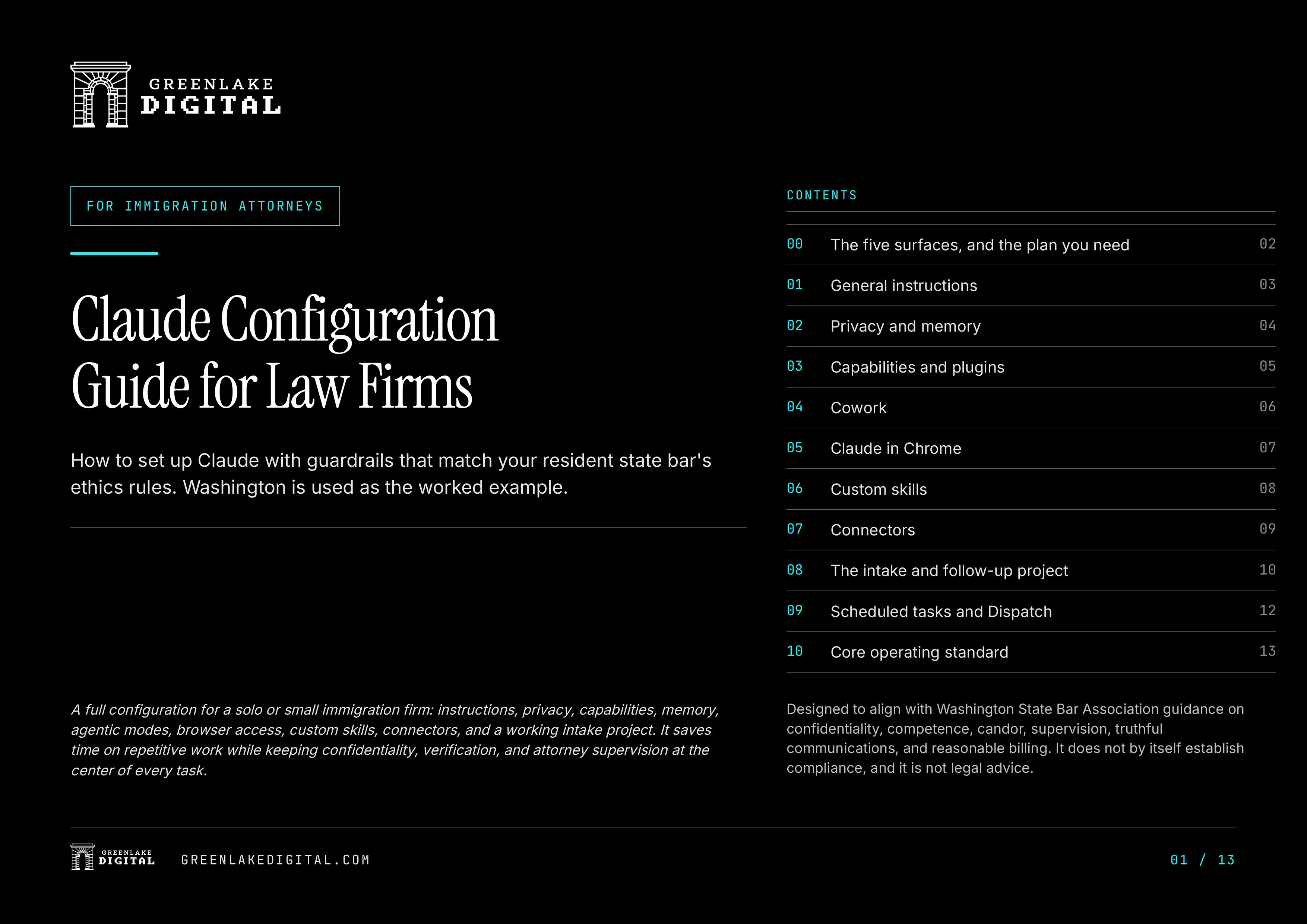
This article explains how law firms can configure those features while keeping confidentiality, verification, and attorney supervision at the center of the workflow. The accompanying free PDF provides a complete 13-page configuration for solo and small immigration firms, using Washington as the worked example.
The complete configuration described in the guide assumes access to a paid Claude plan. Individual features, settings, and plan availability may change over time.
The Answer
Can Lawyers Use Claude for Legal Work?
Claude can support legal research, drafting, document review, intake reconciliation, internal reporting, and other structured law firm workflows. Whether a particular use is appropriate depends on the task, the information involved, the firm's account and contractual terms, and the professional requirements of the applicable jurisdiction.
Claude should not independently establish representation, clear conflicts, make final eligibility decisions, send legal communications, file documents, or modify authoritative client records. Those decisions and actions must remain under attorney or properly supervised human control.
The more access Claude receives, the more important its configuration becomes. A tool working with sanitized documents presents a different level of risk than one connected to email, cloud storage, browser sessions, or client information.
The Product
Claude Legal Tools Extend Beyond Chat
The standard chat window is only one part of Claude.
Lawyers may also use Projects, memory, file creation, custom skills, connectors, Cowork, Claude in Chrome, scheduled tasks, and remote actions. Each feature has a different purpose and a different access model.
For example:
- Projects can separate legal research, intake, communications, and marketing workflows.
- Skills can apply repeatable review standards to research, drafting, document review, and reconciliation.
- Connectors can provide limited access to email, documents, and spreadsheets.
- Cowork and Chrome can perform multistep work involving files, websites, and authenticated sessions.
- Scheduled tasks can prepare recurring reports and audits.
- Memory can retain approved preferences and conventions between conversations.
A feature appropriate for drafting an internal checklist may not be appropriate for searching an unrestricted inbox or modifying a client record. Understanding those differences is the first step toward configuring Claude for legal work.
Configuration
Configure Claude Before Connecting Legal Documents
Many attorneys begin by searching for Claude prompts for lawyers. Prompts are useful for controlling an individual task, but they are only one part of the operating framework.
A prompt cannot determine what the account remembers, which folders a connector can access, whether browser tools can make changes, or what a scheduled task may do without another approval.
A law firm therefore needs both task-level instructions and account-level configuration.
Global instructions can establish rules Claude should follow across ordinary conversations. For a legal workflow, those instructions should address confidentiality, source verification, professional supervision, and output control.
Claude should be instructed to:
- Distinguish confirmed information from assumptions
- Prioritize current primary legal authority
- Avoid inventing cases, citations, deadlines, filing fees, form editions, or agency policy
- Label substantive work as a draft requiring attorney review
- Avoid guarantees and unsupported claims
- Wait for approval before sending, filing, signing, publishing, or modifying an external record
Matter-specific facts should not be stored in global instructions. Client identities, histories, legal strategies, deadlines, and sensitive records belong only in an appropriately controlled workflow, when their use is appropriate at all.
A global instruction can establish a rule. It cannot determine that every future use of Claude complies with that rule.
Privacy and Memory
Decide What Claude May Remember
Memory can help Claude retain drafting preferences, terminology, formatting conventions, and recurring review procedures.
It should not become the firm's case-management system or official matter record.
Appropriate memory may include:
- Approved terminology
- Drafting preferences
- Formatting conventions
- Standard workflow steps
- Standard review criteria
Memory should not hold:
- Client identities
- Immigration histories
- Criminal or medical histories
- Matter deadlines
- Representation status
- Legal strategy
- Privileged communications
- Filing instructions for a specific matter
Generated memories should be reviewed regularly. Information that belongs in an authoritative client record should remain in the authoritative client record.
Turning off optional data sharing may reduce exposure. It does not automatically make an individual account suitable for unrestricted client files.
Capabilities
Enable Only the Capabilities the Task Requires
Claude's capabilities determine whether it can create files, execute code, access outside networks, or interact with connected systems.
Those permissions should be enabled for a defined task rather than left open by default.
For example, a sanitized spreadsheet may require file creation or code execution to identify probable duplicates, missing fields, or inconsistent classifications. That does not mean the same workflow needs unrestricted network access, a complete client database, or permission to install additional packages.
Before enabling a capability, ask:
- What information does the task require?
- What system must Claude access?
- Does the task require read access or write access?
- What could change without another approval?
- Can the same result be produced with less information?
- Can the same result be produced with narrower permissions?
The smallest sufficient permission set is usually the better starting point.
Projects
Use Projects to Separate Legal Workflows
Projects provide dedicated spaces for instructions, files, and working history.
That separation is useful because legal research, intake reconciliation, client communication, marketing review, and active matter work do not share the same sources, risks, or approval requirements.
A Project should be organized around one workflow. It should not become a general container for unrelated inquiries, active matters, marketing files, and internal operations.
An intake Project might contain:
- Sanitized exports from a prior CRM
- Website inquiry records
- Approved disposition definitions
- Follow-up templates
- Duplicate-review procedures
- Instructions requiring evidence and confidence levels
- Rules preventing Claude from establishing representation or clearing conflicts
The Project keeps those instructions and sources separated from unrelated work. It does not eliminate the need for attorney supervision.
Cowork and Browser Access
Keep Cowork and Browser Access on a Short Leash
Cowork and Claude in Chrome can move beyond drafting and analysis.
Depending on their permissions, they may read files, navigate websites, interact with authenticated applications, enter information, or make changes.
That can be useful for multistep operational work, but it also increases the consequences of:
- An incorrect assumption
- Unexpected confidential information
- A mistaken click
- An outdated record
- A malicious instruction embedded in a webpage or document
For legal, intake, email, spreadsheet, and configuration work, manual approval should remain the default.
Claude should identify the files, folders, websites, and systems it proposes to access before it begins. It should explain proposed changes, create new output instead of overwriting original files, and stop when confidential information appears unexpectedly.
Webpage and document text should be treated as untrusted content, not as instructions to the assistant.
Browser access should begin from a default-deny position. Public legal research sources may be suitable for an allowlist. Webmail, filing systems, client portals, payment platforms, unrestricted cloud storage, and authoritative matter systems require a much higher threshold.
Skills
Use Claude Skills for Legal Research, Drafting, and Review
Claude skills apply a saved set of instructions to recurring work. They can help lawyers use consistent review standards for legal research, drafting, document review, client communications, intake reconciliation, and marketing review.
A skill does not independently verify that its own conclusions are correct. It should define the sources to prioritize, the assumptions to identify, the actions it may not take, and the points where attorney review is required.
The downloadable guide outlines four example skills.
State legal research audit
This skill can support:
- Primary-authority research
- Source hierarchy
- Citation review
- Effective-date checks
- Form verification
- Fee verification
- Agency-policy verification
- Separation of confirmed facts from assumptions
It should flag missing citator review rather than imply that a citation remains valid.
Firm lead reconciliation
This skill can support:
- Duplicate review
- Record comparison
- Disposition recommendations
- Evidence summaries
- Confidence levels
- Follow-up queue preparation
It should never independently mark a person retained, clear a conflict, determine that representation exists, or change a Do Not Contact status.
Client communication drafting
This skill can support:
- Intake responses
- Document requests
- Consultation follow-up
- Draft client emails
- English and Spanish drafting where appropriate
It should draft only, identify the recipient's role, avoid guarantees, and require attorney review before anything is sent.
State legal marketing review
This skill can support reviews of:
- Website copy
- LinkedIn posts
- Advertising
- Business profiles
- Attorney biographies
- Testimonials
- Intake messaging
It should flag unsupported comparisons, guaranteed outcomes, unverifiable expertise statements, confidential information, misleading office-location claims, and promises that are stronger in one language than another.
Connectors
Limit Claude Connectors by Label and Folder
Claude connectors can bring email, documents, spreadsheets, and other business information into a legal workflow. That access should be limited to the smallest account area needed for the task.
An email connector might be restricted to a dedicated intake label. A Drive connector might reach only an approved folder containing templates and sanitized records. A legacy CRM might be connected temporarily for migration and removed afterward.
The goal is not to give Claude everything a firm has. It is to give the workflow only what it requires.
A narrowly configured legal workflow might use:
Webmail
Appropriate uses may include:
- Searching an approved intake label
- Reviewing relevant threads
- Identifying replies
- Locating consultation or retention evidence
- Creating drafts
Claude should not search an unrestricted inbox for clients or legal matters.
Drive and spreadsheets
Appropriate uses may include:
- A master inquiry database
- Disposition control
- Follow-up queues
- Suppression lists
- Templates
- Audit logs
- Sanitized reconciliation files
A dedicated folder should be used instead of connecting a Drive root that contains matter folders.
Legacy CRM
A legacy CRM may serve as a temporary migration source.
The workflow should:
- Export the records
- Preserve original record identifiers
- Preserve prior status fields
- Compare the migrated records
- Complete the migration
- Remove the CRM connection when it is no longer required
When a task can only be completed by giving Claude unrestricted access to an entire account, the workflow may not be ready for delegation.
Intake Automation
Build Intake Automation Around Human Decisions
Intake and follow-up work contains repetitive, structured tasks that may be suitable for AI assistance.
Claude can:
- Compare records
- Identify probable duplicates
- Summarize communication history
- Prepare disposition recommendations
- Create follow-up queues
- Draft messages for review
- Report missing or inconsistent information
Claude should not independently:
- Mark a prospective client as retained
- Clear a conflict
- Determine that representation exists
- Change a Do Not Contact status
- Make a final eligibility decision
- Send a legal communication
- Delete a source record
- Modify an authoritative client record
The underlying database should preserve:
- Original source
- Original source record identifier
- Original activity or submission date
- Import date
- Duplicate reference
- Merge reference
- Human-approved disposition
Claude may recommend a disposition and explain the evidence supporting it. An attorney or properly supervised staff member should accept or reject that recommendation.
Mandatory follow-up stop conditions should include:
- The prospect replies
- A consultation is scheduled
- A consultation is completed
- The person becomes a retained client
- The matter is declined or referred
- The person opts out
- The email bounces
- The record is a duplicate
- Attorney review becomes necessary
Scheduled Tasks
Automate Reporting, Not Legal Action
Claude legal automation is best introduced through recurring reports, audits, summaries, and exception lists.
These tasks can help attorneys understand the state of a workflow without allowing the system to make final legal or client-related decisions.
Scheduled tasks may prepare:
- Lists of inquiries awaiting disposition
- Duplicate-record audits
- Suppression-list reviews
- Draft-only summaries of people who replied
- Workflow error reports
- Records requiring attorney review
They should not automatically:
- Send legal communications
- Send marketing communications
- Establish representation
- Change client records
- Modify suppression status
- File documents
- Act on a status that may have changed since the task was configured
Run the workflow manually until its output is predictable. Add recurring reporting only after the underlying process has been tested and reviewed.
Attorney Review
Keep the Attorney in Control of the Final Work
Claude can support legal research, organization, comparison, drafting, document review, intake, and internal reporting.
It should remain outside final legal judgment.
A durable law-firm operating standard should require:
- Read-only access when possible
- Draft-only output by default
- Use of the minimum necessary information
- Separate Projects for separate workflows
- Attorney approval before sending, filing, publishing, or changing records
- Human control over legal conclusions
- Human control over representation decisions
- Preservation of an audit trail
- Verification of authorities, assertions, deadlines, fees, forms, and filing instructions
- Clear attorney-review labels on substantive drafts
Product interfaces, menus, and feature names will change. These operating principles should remain in place when they do.
Jurisdiction
Adapt the Configuration to Your Jurisdiction
The downloadable guide uses Washington as its worked example. It references Washington professional rules, Washington State Bar Association guidance, and Washington courts.
Attorneys in other jurisdictions should replace those sources and independently review their own requirements concerning:
- Confidentiality
- Technological competence
- Supervision
- Communications about legal services
- Advertising
- Fees and billing
- Prospective-client information
- Generative AI
- Data handling
- Vendor agreements
- Court rules
A settings checklist cannot independently establish compliance.
The appropriate analysis depends on the jurisdiction, the firm, the account terms, the information involved, the systems connected, and the specific task.
Get the Guide
Download the Free Claude Configuration Guide
Get the complete 13-page guide to Claude's features, settings, skills, connectors, browser access, intake workflows, automation, and attorney-review requirements.
Free Download
Download the Free Guide
Get the complete 13-page configuration guide for solo and small immigration law firms.
Download the Free GuidePDF, 13 pages. Opens directly, no email required.
Need a Claude Account?
Get One Free Week of Claude
Set up the account the guide is written for. The complete configuration described in the guide assumes access to a paid Claude plan. Individual features and plan availability may change over time.
Get One Free Week of ClaudeAffiliate disclosure: This is a referral link. Eligible new users may receive one free week of Claude under the current offer, and Green Lake Digital may receive a referral benefit when the link is used. Anthropic controls eligibility, availability, terms, and fulfillment of the offer.
Green Lake Digital works with immigration attorneys and small law firms on search-focused marketing and the practical side of adding Claude to intake and follow-up without losing attorney judgment. Reach out to Green Lake Digital to talk through what that looks like for your firm.
Read This First
Important Disclaimer
This article and the accompanying guide are provided for general informational purposes only. They are not legal advice, ethics advice, privacy advice, cybersecurity advice, or a compliance determination.
They do not establish or guarantee compliance with any professional, ethical, contractual, privacy, security, or regulatory obligation.
Each attorney and law firm remains solely responsible for evaluating Claude and other AI systems, reviewing current vendor terms and settings, applying the laws, professional rules, ethics opinions, and guidance of the relevant jurisdiction, protecting confidential and privileged information, supervising all AI-assisted work, verifying material facts and legal authority, and approving every final communication, filing, record change, billing decision, and work product.
Green Lake Digital does not practice law, make legal or compliance determinations for attorneys, or assume the attorney's professional duties. Green Lake Digital is not responsible for how an attorney or law firm configures, implements, supervises, or uses Claude or any resulting output.